SaaS Integration Guide: Explore Types, Methods, Tools & Business Applications
Businesses increasingly use cloud-based software to manage different activities, including customer relationships, accounting, marketing, human resources, project management and data analysis. Although each application may handle a specific task, managing information across multiple platforms can become complicated when these systems operate separately.
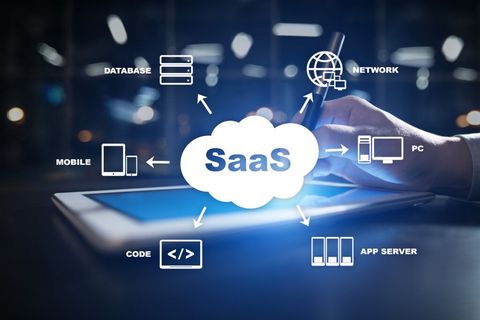
SaaS integration helps address this challenge by connecting Software as a Service (SaaS) applications so they can exchange information and coordinate workflows. It allows different tools to communicate through application programming interfaces (APIs), webhooks, prebuilt connectors and other integration methods.
For example, a business can connect its customer relationship management (CRM) platform with an email marketing application. When a customer record is updated, relevant information can be transferred to the connected platform according to predefined rules.
This guide explains the meaning of SaaS integration, its common types, technical methods, tools, business applications and important implementation considerations.
What Is SaaS Integration?
SaaS integration is the process of connecting two or more cloud-based software applications to enable data exchange and coordinated operations. These connections allow applications to share selected information, trigger actions and support workflows without requiring employees to transfer every record manually.
SaaS applications are generally hosted by software providers and accessed through internet-connected devices. Integration connects these separate applications into a more coordinated technology environment.
For instance, a business might connect:
A CRM application with an email marketing platform.
An accounting system with an invoicing application.
An HR platform with an employee attendance system.
A project management tool with a team communication application.
An e-commerce platform with an inventory management system.
The purpose is to establish reliable communication between applications while maintaining appropriate data access, security and consistency.
How Does SaaS Integration Work?
SaaS integration generally works through a defined communication process. The connected applications exchange information using supported interfaces, authentication methods and data formats.
The exact process depends on the applications and integration architecture, but most implementations follow several common stages.
1. Application Connection
The first step is establishing a connection between the applications. This may involve an API, an authorized connector, a webhook endpoint or an integration platform.
2. Authentication and Authorization
The applications verify the identity and permissions of the connecting system. Authentication confirms who is requesting access, while authorization determines which information or operations are permitted.
3. Data Mapping
Different applications may organize information in different ways. Data mapping defines how fields in one application correspond to fields in another.
For example, one platform may use the term customer_name, while another uses contact_name. Mapping helps ensure that the information reaches the correct destination.
4. Data Transfer
Information moves between connected applications according to the selected integration method. Data can be transferred immediately after an event, at scheduled intervals or through batch processing.
5. Monitoring and Error Handling
Integration systems monitor data transfers and identify failed operations. Depending on the configuration, failed requests may be retried, recorded for investigation or sent for manual review.
Types of SaaS Integration
SaaS integration can be classified according to how applications connect, exchange information and coordinate business processes. The following are common integration approaches.
1. Native Integration
Native integration refers to a connection built directly into a software application by its provider. Users can activate supported connections through application settings or configuration options.
For example, a CRM application may include a built-in connection to a calendar or email platform.
Common characteristics:
Usually requires limited technical configuration.
Uses connections supported by the application provider.
May include predefined data synchronization options.
Can reduce the need for custom development.
Native integration is useful when the required applications already support the necessary connection.
2. API-Based Integration
API-based integration connects applications through application programming interfaces. An API defines how one system can request information or perform permitted operations in another system.
For example, an inventory application may use an e-commerce platform's API to retrieve product information and update stock records.
Common characteristics:
Supports structured communication between applications.
Can enable real-time or scheduled data exchange.
Allows developers to create customized workflows.
Requires attention to authentication, permissions and API limitations.
API integration is commonly used when businesses need greater control over application communication.
3. Webhook Integration
Webhooks allow an application to send information automatically when a specified event occurs. Instead of repeatedly checking another application for changes, the receiving system gets a notification when a relevant event takes place.
For example, when a customer completes an online form, a webhook can notify a CRM platform to create or update a contact record.
Common characteristics:
Event-driven communication.
Useful for notifications and automated workflows.
Can reduce unnecessary repeated requests.
Requires secure endpoints and appropriate error handling.
Webhooks are particularly useful for processes where a system needs to respond to specific events.
4. Integration Platform as a Service (iPaaS)
Integration Platform as a Service, commonly known as iPaaS, provides a centralized environment for connecting applications and managing data flows.
These platforms often include prebuilt connectors, workflow builders, data transformation features and monitoring options. Depending on the platform, users may configure integrations through visual interfaces or low-code development tools.
Common characteristics:
Provides connections to multiple applications.
Can support multi-step workflows.
Offers centralized integration management.
May reduce the need to develop every connection independently.
iPaaS is often considered when an organization needs to connect several cloud applications through a shared integration environment.
5. Custom Integration
Custom integration involves developing a connection specifically for an organization's requirements. Developers use APIs, application code, databases or other supported interfaces to establish communication between systems.
For example, a company may develop a custom connection between its internal business application and an external billing platform.
Common characteristics:
Supports specialized workflows.
Provides greater control over data handling.
Can accommodate application-specific requirements.
Requires development, testing and ongoing maintenance.
Custom integration may be appropriate when standard connections do not support the required business process.
6. Middleware Integration
Middleware is software that operates between applications and helps them communicate. It can manage message exchange, data transformation, routing and connections between different systems.
For example, middleware may connect a cloud-based CRM application with an older enterprise resource planning system.
Middleware is useful in environments where multiple applications, databases or legacy systems need to communicate through a common integration layer.
Common SaaS Integration Methods
Different integration methods address different technical requirements. The choice depends on data volume, application capabilities, response time, security and the complexity of the workflow.
| Integration Method | How It Works | Common Application |
|---|---|---|
| REST APIs | Exchanges information through HTTP requests and responses | CRM and inventory connections |
| SOAP APIs | Uses structured messages and defined communication standards | Enterprise application connections |
| Webhooks | Sends event notifications to another system | Form submissions and payment notifications |
| Scheduled Synchronization | Transfers information at predefined intervals | Daily reporting and record updates |
| Batch Processing | Transfers groups of records together | Large data transfers |
| ETL and ELT | Extracts, transforms and loads data into a destination | Business intelligence and analytics |
| Message Queues | Stores messages for asynchronous processing | Large-scale application workflows |
REST API Integration
REST APIs are widely used for communication between web applications. They commonly exchange structured data using formats such as JSON and operate through HTTP methods.
A REST-based connection may allow an application to retrieve customer details, create records or update information, depending on the permissions provided.
SOAP API Integration
SOAP is a messaging protocol that uses structured XML messages. It is commonly found in enterprise environments where established communication contracts and specific technical requirements are important.
Real-Time and Scheduled Synchronization
Real-time synchronization transfers information shortly after a relevant event or change. Scheduled synchronization transfers information at selected intervals, such as every hour or once a day.
The appropriate option depends on how quickly the receiving application needs updated information.
ETL and ELT Integration
ETL stands for Extract, Transform and Load. It involves collecting data from source systems, transforming it into a suitable structure and loading it into a destination.
ELT follows a different sequence: data is extracted and loaded before transformations are performed within the destination environment.
These methods are commonly used to prepare information from multiple SaaS applications for reporting and analytics.
Popular SaaS Integration Tools and Platforms
SaaS integration tools help organizations connect applications, automate data exchange and coordinate workflows. Different tools support different technical requirements, so their capabilities should be evaluated before implementation.
Examples include:
Zapier
Zapier provides a visual workflow automation environment that connects supported applications through predefined triggers and actions. It is commonly used for tasks such as transferring form submissions, updating records and sending notifications.
Make
Make provides a visual environment for designing workflows between applications. Users can configure multi-step scenarios, apply conditions and manage information transfers between supported platforms.
Workato
Workato provides enterprise-oriented integration and workflow automation capabilities. It can be used to coordinate processes across business applications and connect different systems.
Boomi
Boomi provides cloud-based integration capabilities for connecting applications, data sources and business systems. Its platform includes tools for managing integration workflows and data exchange.
Microsoft Power Automate
Microsoft Power Automate supports workflow automation across Microsoft products and other supported applications. It can be used for notifications, approvals, data updates and recurring business processes.
MuleSoft Anypoint Platform
MuleSoft Anypoint Platform supports API management and application integration. It is used in environments where organizations need to design, manage and connect APIs and enterprise systems.
AWS AppFlow
AWS AppFlow is a managed integration service for transferring data between supported SaaS applications and AWS services. It supports scheduled, event-driven and on-demand data flows.
The availability of connectors, features, pricing structures and supported applications can change. Organizations should consult the relevant provider documentation before selecting a platform.
Business Applications of SaaS Integration
SaaS integration can support different departments by connecting the applications they use every day. The following examples illustrate common business applications.
1. Customer Relationship Management
CRM integration connects customer information across sales, marketing and support applications.
For example, a new customer record created through a website form can be transferred to a CRM platform. The same information may then be used by authorized marketing or customer support systems.
This can help maintain more consistent customer records across departments.
2. Accounting and Financial Operations
Accounting integration connects financial applications with invoicing, payment processing and enterprise management systems.
Examples include:
Transferring invoice details between applications.
Updating transaction records.
Synchronizing customer billing information.
Preparing financial data for reporting.
These connections can reduce repeated data entry and help maintain organized records.
3. Human Resource Management
HR integration connects employee management applications with attendance, payroll, recruitment and onboarding systems.
For example, an approved employee record may be transferred to an attendance application so that authorized teams can manage relevant information from connected systems.
4. E-Commerce and Inventory Management
E-commerce integration connects online platforms with inventory, order management, accounting and shipping applications.
When an order is placed, the connected systems may update order records and inventory information according to predefined rules.
This helps coordinate information across different stages of an online transaction.
5. Marketing Automation
Marketing integration connects email platforms, CRM applications, analytics systems and campaign management tools.
For example, a customer interaction recorded in one application may trigger a predefined workflow in another system.
These integrations can support organized campaign records and more consistent data management.
6. Project Management and Team Collaboration
Project management integration connects task management applications with communication, file storage and calendar platforms.
A task update may generate a notification in a team communication application. Similarly, a scheduled project milestone may appear in a connected calendar.
7. Business Intelligence and Data Analytics
Analytics integration brings information from different business applications into a reporting environment.
Data from CRM, accounting, inventory and marketing systems can be prepared for dashboards and performance reports. This provides a broader view of business operations, subject to data quality and access controls.
Key Benefits of SaaS Integration
When planned and managed properly, SaaS integration can improve coordination between business applications.
Reduced Manual Data Entry: Automated data transfers can reduce repeated information entry across connected systems.
Improved Data Consistency: Defined synchronization rules help maintain similar records across applications and reduce discrepancies.
Workflow Automation: Applications can trigger actions based on events, schedules or predefined conditions.
Better Information Visibility: Connecting business systems can make relevant information easier to access across authorized departments.
Flexible Application Environment: Organizations can connect new applications as their requirements change, provided suitable integration options are available.
Support for Business Reporting: Data from multiple systems can be brought together for analysis, reporting and operational monitoring.
These benefits depend on the quality of the integration design, the reliability of the connected applications and the accuracy of the information being exchanged.
Challenges and Limitations of SaaS Integration
Although integration can improve coordination, it also introduces technical and operational considerations.
Data Security and Privacy
Connecting applications creates additional data transfer points. Organizations should review access permissions, encryption, authentication and data retention requirements.
API Limitations
Some applications impose API request limits, restrict certain operations or provide limited access to specific data. These restrictions can affect synchronization frequency and workflow design.
Data Compatibility
Applications may use different field names, formats and data structures. Data mapping and transformation are often required to maintain consistency.
Integration Failures
Network problems, expired credentials, application downtime or unexpected data formats can interrupt information transfers. Monitoring, retry mechanisms and error logs help identify these issues.
Maintenance Requirements
Software providers may update APIs, permissions or application features. Integrations should be reviewed and tested when connected systems change.
Vendor Dependency
Depending heavily on one integration provider or platform may create operational challenges if its features, policies or supported connections change.
Best Practices for Implementing SaaS Integration
A structured implementation process helps organizations manage technical complexity and maintain reliable connections.
Identify Business Requirements: Define which applications need to communicate and what information must be exchanged.
Map Existing Workflows: Document how information currently moves between departments and applications.
Choose an Appropriate Method: Evaluate native connections, APIs, webhooks, iPaaS and custom development according to the requirements.
Define Data Ownership: Establish which application is responsible for maintaining specific records to avoid conflicting updates.
Apply Access Controls: Use appropriate authentication, permissions and security measures for every connection.
Test Before Deployment: Check data mapping, synchronization, error handling and expected workflow behavior in a controlled environment.
Monitor Integration Performance: Review failed requests, delays, unusual activity and data inconsistencies.
Document the Setup: Maintain records of connected applications, credentials management procedures, data flows and troubleshooting steps.
Review Regularly: Reassess integrations when applications, business requirements or data policies change.
SaaS Integration vs. Traditional Software Integration
SaaS integration and traditional software integration share the objective of connecting applications, but their environments can differ.
| Comparison Area | SaaS Integration | Traditional Software Integration |
|---|---|---|
| Application Environment | Primarily cloud-hosted applications | Often on-premises or locally hosted systems |
| Access | Usually through internet-based interfaces | May use internal networks and local interfaces |
| Updates | Often managed by SaaS providers | May require internal or vendor-managed updates |
| Connection Methods | APIs, webhooks, connectors and iPaaS | APIs, middleware, databases and other interfaces |
| Infrastructure | Usually relies on provider-managed infrastructure | May involve organization-managed infrastructure |
| Maintenance | Shared between providers and integration teams | Often involves internal IT teams and software providers |
Modern organizations may use both approaches when connecting cloud applications with existing enterprise systems.
Future Trends in SaaS Integration
SaaS integration continues to evolve as businesses adopt more cloud applications, automation technologies and data platforms.
AI-Assisted Workflow Management
Artificial intelligence can support workflow design, information classification and certain automated decisions. Organizations still need to validate outputs, permissions and the reliability of AI-assisted processes.
Low-Code and No-Code Integration
Visual workflow builders and prebuilt connectors allow users to configure some integrations without developing every connection from scratch. Complex requirements may still need technical expertise.
API Management
As organizations connect more applications, API management becomes important for monitoring access, maintaining documentation and managing the lifecycle of application interfaces.
Event-Driven Architecture
Event-driven systems allow applications to respond to specific activities, such as record creation, order updates or account changes. This approach can support more responsive workflows.
Data Governance
As information moves between more applications, organizations increasingly need clear rules for data ownership, access, retention, quality and compliance.
Frequently Asked Questions
1. What is SaaS integration in simple terms?
SaaS integration means connecting cloud-based applications so they can exchange information and work together. For example, a CRM system can be connected to an email platform to synchronize selected customer records.
2. What are the main types of SaaS integration?
Common approaches include native integration, API-based integration, webhook integration, iPaaS, custom integration and middleware integration. Each approach supports different technical and operational requirements.
3. What is the difference between API integration and iPaaS?
API integration connects applications through their programming interfaces, often using custom code or configured requests. iPaaS provides a centralized platform with connectors and workflow tools to manage connections between multiple applications.
4. Why do businesses use SaaS integration?
Businesses use SaaS integration to coordinate information between applications, reduce repeated data entry, automate workflows, improve data consistency and support reporting across departments.
5. Is SaaS integration secure?
SaaS integration can be designed with security controls such as authentication, authorization, encryption and access monitoring. However, security depends on the configuration, connected providers and organizational data policies.
6. What should businesses consider before integrating SaaS applications?
Businesses should evaluate application compatibility, API availability, data ownership, security requirements, synchronization frequency, maintenance needs and integration complexity before implementation.
Conclusion
SaaS integration connects cloud-based applications and helps organizations coordinate information across different business functions. Methods such as APIs, webhooks, native connections, middleware and iPaaS provide different ways to establish communication between systems.
Its applications extend across CRM, accounting, human resources, e-commerce, marketing, project management and business analytics. However, successful integration requires careful planning, data mapping, security controls, testing and ongoing monitoring.
Understanding the available integration types and methods helps organizations develop a connected software environment that supports their operational requirements while maintaining appropriate control over business information.
Disclaimer: This article is intended for general educational and informational purposes. Integration capabilities and technical requirements vary by software provider, application version and organizational environment. Consult official product documentation and qualified technical professionals when planning an integration.

Related Post...

Modern ERP Systems Guide: Explore Cloud Platforms, Automation & Data Management
Updated: November 19, 2026
Read More
SaaS Integration Platforms Guide: Explore APIs, Automations, Data Flow & Application Connectivity
Updated: September 19, 2026
Read More