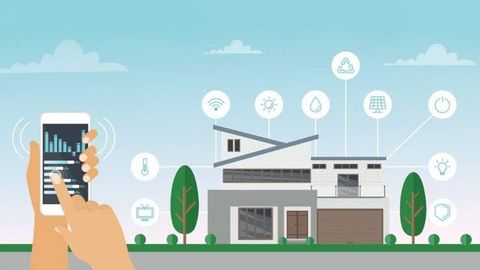
Home Automation Security Guide: Access Controls, Sensors, Monitoring Systems, and Practical Insights
Home automation security combines connected devices, access controls, sensors, monitoring systems, networks, and automation platforms to help manage security-related functions within a home.
Modern systems can connect door locks, cameras, motion sensors, alarms, lighting, garage controls, door sensors, and other devices through a central application or home automation platform.
Because these systems connect physical security with digital technology, effective planning involves both household security practices and cybersecurity considerations.
Why Home Automation Security Matters
Connected-home systems can provide information about doors, windows, movement, cameras, environmental conditions, and other household activity.
A structured approach can help homeowners organize:
Entry-point security
Door and window monitoring
Motion detection
Camera systems
Smart locks
Alarm notifications
Garage access
Remote monitoring
Device authentication
Network security
Privacy controls
The appropriate combination depends on the home's layout, occupants, connected devices, connectivity, and security requirements.
What Is Home Automation Security?
Home automation security refers to the use of connected technologies and automated controls to monitor or manage security-related functions.
A typical system may include:
Smart locks
Door and window sensors
Motion sensors
Security cameras
Video doorbells
Alarm systems
Glass-break sensors
Garage-door controls
Smart lighting
Environmental sensors
Central automation hubs
Mobile applications
These components may operate independently or communicate through a common home automation platform.
Smart Access Controls
Access control determines who can enter or interact with protected areas.
Home automation access technologies can include:
Smart locks
Keypads
Mobile credentials
Physical keys
Biometric features on compatible devices
Temporary access codes
Scheduled access
Remote locking and unlocking
Access permissions should be managed carefully. Temporary credentials should be removed when they are no longer needed, and accounts should use appropriate authentication controls.
Remote access also requires particular attention because an internet-connected lock can become part of the home's broader digital security environment.
Smart Locks and Entry Management
Smart locks can provide features beyond conventional locking mechanisms.
Depending on the product, features may include:
Remote lock status
Automated locking
Temporary access codes
Access notifications
Activity records
Mobile control
Integration with other automation devices
A smart lock should not be evaluated only by its mobile-app features. Physical installation, mechanical reliability, battery operation, emergency access, network connectivity, and manufacturer instructions are also important considerations.
Door and Window Sensors
Contact sensors can detect whether a door or window is open or closed.
They can be used for:
Entry monitoring
Alarm automation
Notifications
Lighting routines
Occupancy-related automation
Security-event records
For example, a system may generate an alert when a monitored entry point is opened while the household is configured as away.
Sensor placement should account for the physical structure and the intended monitoring objective.
Motion Sensors
Motion sensors can detect movement within selected areas.
Common applications include:
Entry detection
Room monitoring
Lighting automation
Occupancy awareness
Alarm triggers
Activity notifications
Motion detection can be affected by pets, temperature changes, sunlight, furniture placement, and other environmental factors. Proper placement and configuration are therefore important.
Security Cameras and Video Doorbells
Connected cameras can provide visual information about selected areas of a property.
Features may include:
Live video
Motion alerts
Event recording
Person detection
Night vision
Two-way communication
Cloud storage
Local storage
Mobile notifications
Camera placement should respect privacy and applicable laws. Areas where household members, visitors, neighbors, or other individuals have reasonable privacy expectations require particular consideration.
Home Alarm Systems
Smart alarm systems can combine several sensors and automated responses.
A system may connect:
Door sensors
Window sensors
Motion sensors
Glass-break sensors
Smoke or environmental sensors
Cameras
Keypads
Mobile applications
Automation rules can trigger notifications or other configured actions when defined conditions occur.
The capabilities and limitations of each alarm system should be understood before relying on it for household security.
Smart Lighting as a Security Feature
Connected lighting can be incorporated into security routines.
Possible applications include:
Turning exterior lights on after detected movement
Scheduling lights while occupants are away
Activating lights after an entry event
Controlling lights remotely
Coordinating lighting with security modes
Lighting automation can complement other security controls but should not be treated as a substitute for physical locks, alarms, monitoring, or other appropriate measures.
Security Monitoring Systems
Monitoring systems collect information from connected devices and present it through an application, control panel, or automation platform.
A monitoring system may track:
Door status
Window status
Motion events
Camera activity
Alarm events
Lock status
Environmental alerts
Device connectivity
Battery conditions
Notifications can help homeowners respond to selected events, but automated notifications may not identify every situation accurately.
Home Automation Security Modes
Many platforms support different security modes.
Examples include:
Home mode
Selected sensors or cameras may remain active while residents are inside the property.
Away mode
Security devices can be configured for broader monitoring when occupants are away.
Night mode
Selected entry points and sensors can remain active while other household automation functions continue normally.
Custom mode
Users can configure specific combinations of sensors, locks, lighting, and notifications.
The appropriate configuration depends on household routines and device capabilities.
Network Security for Smart Homes
Home automation devices commonly depend on a network connection.
Important security practices include:
Use a strong Wi-Fi password
Enable modern wireless security where supported
Keep router firmware updated
Change default device credentials
Use multi-factor authentication where available
Update connected-device firmware
Remove unused devices
Review connected accounts
Use separate network segments where appropriate
Monitor unexpected device activity
A compromised smart-home account may provide access to multiple connected devices, making account security an important part of physical security.
Smart Home Privacy
Security devices can collect information about household activity.
Depending on the technology, information may include:
Video
Audio
Access events
Device activity
Motion events
Location-related information
Household schedules
Account information
Before connecting a device, users should review:
What information is collected
Where information is stored
Whether cloud storage is used
How long records are retained
Who can access the information
Whether information is shared with third parties
How accounts can be deleted
What security controls are available
Privacy considerations can vary according to the device, manufacturer, location, and applicable law.
Automation Rules and Security Risks
Automation can make security management more convenient, but poorly configured rules can create unintended behavior.
For example, an automation rule could unintentionally:
Unlock a door
Disable an alarm
Turn off security lighting
Share access with an unintended account
Trigger repeated notifications
Users should review automation rules periodically and avoid unnecessarily complex configurations.
Security-sensitive actions should require appropriate authentication and clearly defined conditions.
Backup and Offline Considerations
Connected security systems can depend on electricity, internet connectivity, wireless networks, cloud platforms, or device batteries.
Planning should consider what happens when:
Internet connectivity fails
Power is interrupted
A battery becomes depleted
A router stops working
A cloud platform becomes unavailable
A smart device loses connectivity
Depending on the system, backup power, local device controls, physical keys, local storage, or alternative communication methods may provide additional resilience.
Smart Home Security Planning Checklist
Homeowners can review the following areas when planning or evaluating a connected security system:
Identify important entry points
Review door and window sensor coverage
Evaluate smart-lock requirements
Consider appropriate motion sensors
Review camera placement
Configure useful security modes
Secure the home Wi-Fi network
Enable multi-factor authentication where available
Update device firmware
Review automation rules
Remove unused accounts and devices
Review privacy settings
Establish notification preferences
Consider power and connectivity interruptions
Maintain appropriate physical access alternatives
Recent Developments in Home Automation Security
Connected-home security continues to evolve alongside smart locks, wireless sensors, artificial intelligence, local automation, cloud platforms, and integrated home-management systems.
Newer systems may increasingly combine multiple device types into coordinated security routines rather than treating each device independently.
Another development is greater attention to device cybersecurity and account protection. As more household systems become connected to the internet, secure authentication, firmware updates, privacy controls, and network management become increasingly relevant.
Artificial intelligence can also be incorporated into some monitoring technologies for functions such as event classification or activity detection. These features should be evaluated according to their documented capabilities and limitations rather than assuming that automated detection will identify every security event.
Tools and Resources
Useful resources for home automation security planning include:
Smart-lock documentation
Security-camera configuration guides
Home automation platforms
Router security settings
Firmware-update tools
Multi-factor authentication
Network monitoring tools
Door and window sensors
Motion sensors
Alarm control systems
Manufacturer privacy policies
Device security documentation
Applicable consumer-protection and privacy resources.
Frequently Asked Questions
What is home automation security?
Home automation security uses connected devices, sensors, access controls, monitoring systems, and automation features to manage selected security functions within a home.
Are smart locks secure?
Security depends on the lock's physical design, software, authentication controls, connectivity, installation, maintenance, and configuration. Users should follow manufacturer security guidance and maintain appropriate account protections.
Can smart cameras improve home security?
Connected cameras can provide visual information and notifications for selected areas, but their effectiveness depends on placement, configuration, connectivity, storage, privacy controls, and the capabilities of the specific system.
What sensors are commonly used in smart home security?
Common sensors include door and window contact sensors, motion sensors, glass-break sensors, environmental sensors, and other device-specific sensors.
How can I protect smart home devices from cyber threats?
Use strong account credentials, enable multi-factor authentication where available, keep firmware updated, secure the home network, remove unused devices, and review account and privacy settings regularly.
Conclusion
Home automation security brings together physical security equipment, connected devices, sensors, access controls, monitoring systems, and digital security practices.
A well-planned system begins with the home's physical security needs and then considers device compatibility, network protection, privacy, automation rules, and resilience during power or connectivity interruptions.
Because connected-home technologies vary significantly, users should review device capabilities, security documentation, privacy practices, and applicable requirements before implementing or expanding an automated security system.

Related Post...