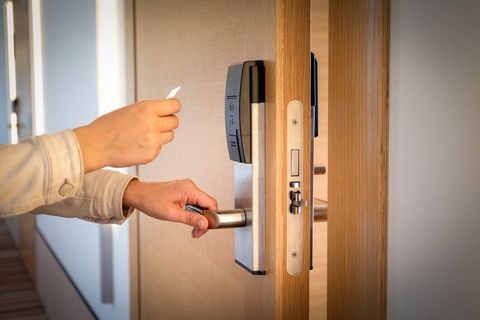
Complete Guide to Smart Lock Installation
Smart lock installation has become an essential upgrade for homeowners looking to improve convenience, access control, and home security.
Unlike traditional door locks, smart locks use advanced technologies such as Wi-Fi, Bluetooth, keypads, fingerprint recognition, and mobile applications to provide secure and flexible entry options.
Modern smart home security systems often include smart locks as part of a connected ecosystem, allowing users to manage door access remotely and integrate with other smart devices. Whether replacing an existing deadbolt or installing a new digital lock, understanding the installation process helps ensure reliable performance and long-term operation.
Understanding Smart Lock Systems
A smart lock is an electronic locking device that controls access to a door using digital authentication methods instead of traditional keys alone. Depending on the model, users can unlock doors using mobile applications, PIN codes, fingerprint recognition, voice assistants, or access cards.
Many smart locks also record access activity, provide remote management features, and integrate with home automation systems.
Types of Smart Locks
Several smart lock designs are available for residential properties.
Deadbolt Smart Locks
These replace or upgrade traditional deadbolt locks while maintaining strong physical security.
Keypad Smart Locks
Keypad models allow users to unlock doors using personalized PIN codes.
Fingerprint Smart Locks
Fingerprint recognition provides fast and secure biometric access.
Wi-Fi Smart Locks
Wi-Fi-enabled locks allow remote access and monitoring from virtually anywhere.
Bluetooth Smart Locks
Bluetooth models connect directly to nearby mobile devices for keyless entry.
Hybrid Smart Locks
Hybrid systems combine multiple access methods, including traditional keys, mobile apps, PIN codes, and biometric authentication.
Essential Smart Lock Components
A complete smart lock system typically includes:
Exterior Lock Assembly
Contains the keypad, fingerprint reader, or key cylinder.
Interior Lock Assembly
Houses the battery compartment and locking mechanism.
Deadbolt
Provides secure door locking.
Mounting Plate
Secures the lock to the door.
Strike Plate
Reinforces the door frame for reliable locking.
Battery Pack
Supplies power to the electronic lock system.
Mobile Application
Allows users to configure settings, manage access, and monitor lock activity.
Preparing for Smart Lock Installation
Proper preparation helps ensure a smooth installation.
Before beginning:
- Measure the door thickness.
- Verify lock compatibility.
- Inspect the existing deadbolt.
- Check door alignment.
- Confirm battery requirements.
- Review installation instructions.
- Prepare the necessary tools.
Planning ahead reduces installation difficulties.
Tools Required
Common installation tools include:
- Screwdriver
- Drill (if required)
- Measuring tape
- Level
- Pencil
- Allen wrench
- Safety glasses
- Replacement batteries
Smart Lock Installation Process
Step 1: Remove the Existing Lock
Carefully remove the old lock and inspect the door for damage.
Step 2: Install the Deadbolt
Insert the new deadbolt and verify smooth movement.
Step 3: Attach the Exterior Assembly
Position the exterior portion of the smart lock and route the connection cable correctly.
Step 4: Install the Interior Assembly
Secure the interior mounting plate and attach the electronic lock housing.
Step 5: Connect the Wiring
Connect the communication cable according to the manufacturer's instructions.
Step 6: Install the Battery Pack
Insert fresh batteries and verify power operation.
Step 7: Configure the Smart Lock
Complete the initial setup using the mobile application or onboard display.
Step 8: Test Lock Operation
Verify manual locking, digital access methods, and automatic locking functions.
Connectivity Options
Modern smart lock installation supports multiple connection methods.
Common options include:
- Wi-Fi connectivity
- Bluetooth connectivity
- Zigbee integration
- Z-Wave connectivity
- Matter compatibility
- Voice assistant integration
These technologies allow smart locks to communicate with connected home devices.
Smart Home Integration
Many smart locks integrate with broader smart home security systems.
Common integrations include:
- Smart home hubs
- Video doorbells
- Security cameras
- Smart lighting
- Motion sensors
- Voice assistants
- Home automation routines
Integration creates a connected home environment with centralized access control.
Important Security Features
Modern smart locks include advanced security technologies.
Popular features include:
- Fingerprint authentication
- PIN code access
- Mobile application control
- Temporary digital access codes
- Auto-lock functionality
- Tamper alerts
- Activity history
- Remote lock management
- Encrypted communication
- Multi-user access control
These features improve both convenience and residential security.
Common Installation Challenges
Some installations require additional attention.
Examples include:
- Incorrect door alignment
- Deadbolt compatibility issues
- Weak Wi-Fi signal
- Improper cable routing
- Battery installation errors
- Mobile application setup issues
- Thick or non-standard doors
- Existing hardware limitations
Careful planning helps reduce these challenges.
Maintenance Tips
Routine maintenance supports long-term performance.
Recommended practices include:
- Replace batteries as needed.
- Clean the keypad regularly.
- Update firmware when available.
- Inspect mounting screws periodically.
- Check door alignment.
- Test locking mechanisms.
- Review user access permissions.
- Monitor mobile application notifications.
Regular maintenance helps ensure reliable operation.
Benefits
Smart lock installation provides several practical advantages.
- Improves residential access control
- Supports smart home security systems
- Enables keyless entry
- Integrates with home automation platforms
- Allows remote lock management
- Supports fingerprint and keypad access
- Enhances home security monitoring
- Provides activity history and user management
- Compatible with multiple connectivity options
- Simplifies everyday home access
Frequently Asked Questions
What is a smart lock?
A smart lock is an electronic locking system that allows secure access using digital authentication methods such as mobile applications, PIN codes, or fingerprint recognition.
Can smart locks replace traditional deadbolts?
Many smart locks are designed to replace existing residential deadbolts while maintaining secure locking functionality.
Do smart locks require internet access?
Some features operate through Bluetooth, while remote management typically requires Wi-Fi or a compatible smart home hub.
How are smart locks powered?
Most residential smart locks use replaceable or rechargeable batteries.
Can multiple users access the same smart lock?
Yes. Many smart lock systems support multiple user profiles and temporary access permissions.
How often should a smart lock be maintained?
Regular battery checks, firmware updates, hardware inspections, and cleaning help maintain reliable operation.
Conclusion
Smart lock installation is an effective way to enhance residential security and simplify everyday access management. By understanding lock types, installation procedures, connectivity options, and maintenance practices, homeowners can create a secure and convenient entry system that integrates seamlessly with modern smart home technology. With proper installation and regular maintenance, a smart lock can provide dependable performance and improved home security for years to come.

Related Post...