AI for Making Websites Free: A Complete Guide for Beginners
Creating a website used to require a combination of design knowledge, coding skills, and time spent arranging pages and writing content. Today, artificial intelligence can help beginners complete many of these tasks through simple instructions and automated design features.
People can describe the purpose of a website, select a visual style, and receive an initial layout without writing every line of code themselves.
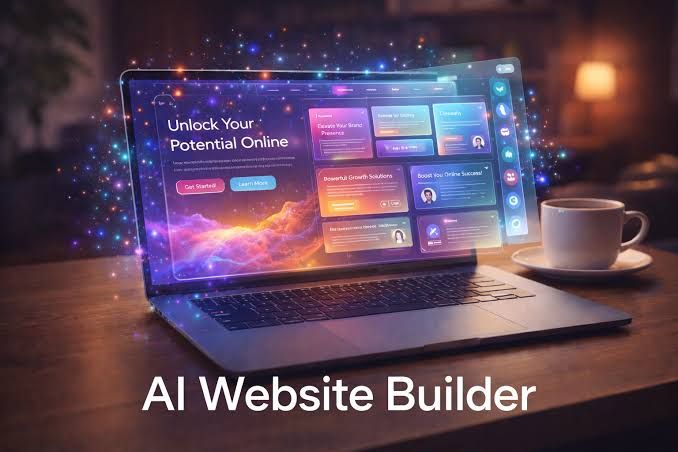
The idea behind AI for making websites free is to explore tools that allow users to begin building a website without an upfront payment. However, the available features vary between platforms. Some provide a basic website at no charge, while others limit publishing options, storage, custom domains, or advanced design features.
Understanding how AI website builders work can help beginners choose an appropriate tool, plan their content, and create a website that meets their needs. A successful website still requires thoughtful planning, accurate information, testing, and regular maintenance.
What Is an AI Website Builder?
An AI website builder is a digital tool that uses artificial intelligence to help create and organize website content and design elements. Depending on the platform, it may generate page layouts, suggest color combinations, write draft text, select visual elements, or arrange sections according to a user's instructions.
For example, someone planning a personal portfolio might describe their skills, background, and preferred design. The tool may generate a homepage with an introduction, project section, biography, and contact area.
Some builders also provide editing controls that allow users to change text, images, fonts, and page structures. Others include features for creating online stores, blogs, booking pages, or business websites.
These tools can reduce the amount of manual work involved in starting a website. However, the generated result is usually a starting point rather than a finished product. Users should review the content, check the layout on different devices, and make sure the website serves its intended purpose.
How AI Helps Beginners Create Websites
1. Generating Website Layouts
Designing a website involves deciding where headings, images, navigation menus, and content sections should appear. AI tools can suggest a layout based on the website's purpose.
A portfolio may include project previews and a biography, while an educational website may need subject categories and article pages. Generating an initial structure helps beginners visualize how the website could be organized.
Users should still check whether the layout is easy to navigate. Important information should be visible, headings should follow a logical order, and visitors should be able to find relevant pages without unnecessary steps.
2. Writing Initial Website Content
Some AI builders can generate introductory text, page descriptions, headings, frequently asked questions, and draft blog content.
For example, a person creating a cooking website might request a short introduction explaining the site's focus on everyday recipes. The generated text can then be edited to match the site's purpose and writing style.
AI-generated content may contain general statements, unsupported claims, or repetitive wording. Review every section for accuracy and usefulness before publishing it. Personal experience, original explanations, and relevant examples can make the content more meaningful to visitors.
3. Selecting Colors and Visual Elements
Website appearance affects how easily visitors understand and use a page. AI design features may recommend color palettes, font combinations, image placements, and section arrangements.
A photography portfolio might use large images and simple text, while a learning website could benefit from clear headings and organized lesson cards.
Generated visuals should match the subject of the website. Users should also check image quality, text readability, color contrast, and licensing requirements before using visual assets publicly.
4. Assisting With Basic Coding
Some AI tools can generate HTML, CSS, JavaScript, or other code used in website development. This can help beginners understand how certain features work or create simple components.
For example, a user might request a basic navigation menu or a contact form layout. The tool may generate example code that can be tested and modified.
Generated code is not always correct or secure. Interactive features should be tested carefully, especially when they collect information, process payments, or connect to external systems. Beginners should avoid publishing code they do not understand when it could affect privacy or security.
Steps to Create a Website Using AI
Step 1: Define the Website's Purpose
Start by deciding what the website needs to accomplish. It could present a portfolio, share educational articles, introduce a small business, or organize information about a hobby.
Write down the intended audience and the main information visitors should find. A clear purpose helps the AI tool generate more relevant suggestions.
Step 2: Choose a Suitable Platform
Explore AI website builders that match your requirements. Compare their editing features, available templates, publishing options, storage limits, and support for mobile layouts.
If you want to begin without payment, check the platform's current plan details. A builder may allow website creation at no charge but require payment for a custom domain or certain publishing features.
Also check whether you can export your content or move the website to another platform later.
Step 3: Write a Clear Prompt
Describe the website in simple, specific language. Include its purpose, intended audience, required pages, preferred visual style, and essential features.
For example:
"Create a simple educational website for beginners learning photography. Include a homepage, tutorials, equipment explanations, an about page, and a contact page. Use readable fonts, clear navigation, and a mobile-friendly layout."
A detailed prompt gives the AI more context and usually produces a more relevant starting structure.
Step 4: Review and Customize the Design
Once the initial website is generated, inspect every page. Replace sample text, remove unnecessary sections, adjust the navigation, and add relevant images.
Make sure the website reflects your actual subject rather than relying entirely on generic AI-generated content. Keep the design consistent across pages and avoid adding features that do not support the main purpose.
Step 5: Check Mobile Compatibility
Many visitors access websites through smartphones. Preview the site on smaller screens and check whether headings, images, buttons, and menus fit properly.
Text should be readable without excessive zooming. Interactive elements should be easy to tap, and important content should not disappear on mobile devices.
Step 6: Publish and Test
Before publishing, check every navigation link, form, image, and important page. Correct spelling mistakes and confirm that visitors can access the information they need.
Review the website's address and publishing conditions. Some platforms provide a subdomain under their own website, while others require a separately registered domain.
After publication, revisit the website periodically to update outdated information, repair broken links, and improve pages based on visitor needs.
Can You Create a Website Without Paying?
Some AI website builders allow users to create and publish a basic website without an upfront payment. The available features depend on the platform and may change over time.
A basic plan might include a limited number of pages, a platform-branded address, restricted storage, or a small selection of templates. Custom domains, advanced integrations, analytics features, and expanded publishing options may require a paid plan.
It is important to distinguish between building a website and maintaining it over time. A website may also require a domain registration, external hosting, email arrangements, or additional tools depending on its purpose.
Before selecting a platform, read the plan details carefully. Check whether the website remains accessible under the selected plan, whether branding is displayed, and whether important features have usage restrictions.
Common Mistakes Beginners Should Avoid
Relying entirely on generated content: AI can produce inaccurate or repetitive information. Review and improve every page.
Ignoring website navigation: Visitors should understand where they are and how to reach important sections. Use clear menu labels and a logical page structure.
Overloading pages with visuals: Too many images, animations, and decorative elements can distract visitors and affect loading performance.
Forgetting search visibility: Use descriptive page titles, meaningful headings, readable URLs, and useful content. These practices help search engines understand each page.
Skipping security checks: Use strong account passwords, enable available security protections, and avoid collecting sensitive information without suitable safeguards.
Failing to maintain the website: Check links, update information, and review the website regularly after publication.
Conclusion
AI website builders make it easier for beginners to explore website creation without needing advanced design or coding knowledge. They can assist with layouts, draft content, visual choices, and basic code, helping users move from an idea to an initial website.
When exploring AI for making websites free, check which creation and publishing features are included and whether additional requirements apply. A suitable platform should match your website's purpose, technical comfort level, and future plans.
The most useful approach is to start with a clear goal, generate a simple structure, review every page, and test the website before publishing. Human judgment, accurate information, accessible design, and regular maintenance remain essential to creating a reliable website.

Related Post...

Explore How Artificial Intelligence Supports Student Learning and Progress
Updated: October 20, 2026
Read More
Exploring CDN Management Tools: Tips and Insights on Using CDN Tools for Web Performance
Updated: October 29, 2026
Read More
Semiconductor Companies: Discover Innovations Shaping Modern Electronics
Updated: October 20, 2026
Read More