Remote Desktop Solution Guide: Explore Setup Basics, Security Tips, and Tools
A remote desktop solution allows a user to access and control a computer from another location through a network connection. The concept emerged as organizations and individuals needed ways to manage computers, troubleshoot systems, or access files without being physically present at the device. With the growth of digital work environments and distributed teams, remote desktop technology has become an important part of modern computing.
A typical remote desktop solution connects two systems: the host computer and the client device. The host machine runs software that allows remote access, while the client device connects to that host through the internet or a local network. Once connected, the user can view the host system’s screen and interact with it as if sitting directly in front of it.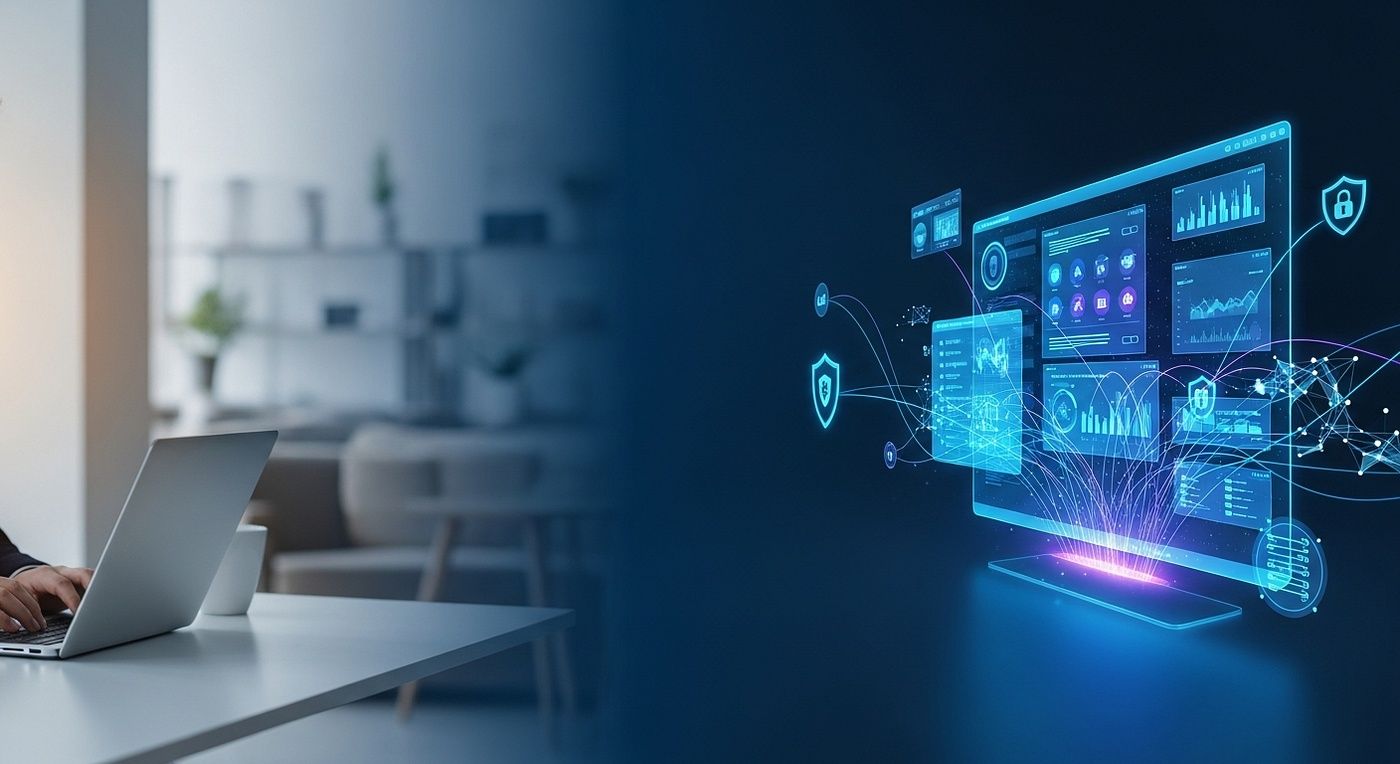
Historically, remote computer access was primarily used by system administrators managing enterprise networks. Over time, it expanded into broader uses such as remote work, technical troubleshooting, and accessing office systems from different locations. Today, many individuals and organizations rely on remote desktop software to maintain productivity and flexibility in digital environments.
As computing systems continue to move toward cloud platforms and distributed infrastructures, the demand for secure and reliable remote access solutions continues to grow.
Importance
Remote desktop technology plays an essential role in modern computing environments where flexibility, accessibility, and system management are important. It affects a wide range of users, including IT administrators, remote workers, developers, and organizations that manage multiple devices across different locations.
The importance of remote desktop solutions can be understood through several practical benefits:
-
Remote accessibility: Users can access files and applications stored on another computer without being physically present.
-
IT system management: Administrators can troubleshoot or configure systems remotely.
-
Workplace flexibility: Employees working from different locations can connect to office systems.
-
Device management: Organizations can monitor and maintain computers across multiple locations.
-
Collaboration and support: Remote desktop tools allow technical teams to assist users directly.
Industries such as technology services, education, finance, and healthcare rely on remote desktop software to maintain continuity of operations. For organizations managing distributed teams or multiple offices, remote desktop platforms support efficient communication between users and computing resources.
Recent Updates
Remote desktop technologies have evolved significantly as connectivity, cybersecurity practices, and cloud computing have advanced. Several updates have improved the functionality and security of modern remote access tools.
Recent developments observed in 2025 and 2026 include:
-
Enhanced security authentication: Many remote desktop solutions now include multi-factor authentication to strengthen access control.
-
Improved encryption standards: Stronger encryption protocols help protect remote sessions from unauthorized interception.
-
Cloud-based remote desktop platforms: Organizations increasingly deploy remote desktop infrastructure through cloud environments.
-
Cross-device compatibility: Modern remote desktop software supports access from desktops, tablets, and mobile devices.
-
Performance optimization: Improved compression and streaming technologies provide smoother remote desktop experiences.
These developments demonstrate how remote access solutions continue to adapt to evolving digital work environments.
Laws or Policies
Remote desktop systems operate within legal and policy frameworks that address cybersecurity, data protection, and digital access management. Because remote access often involves sensitive information and corporate systems, regulatory compliance is an important consideration.
Key policy areas influencing remote desktop technology include:
-
Data protection regulations: Organizations must ensure that remote connections protect personal and organizational data.
-
Cybersecurity standards: Security frameworks encourage strong authentication and encrypted communication channels.
-
Corporate IT governance policies: Internal guidelines often regulate how remote access to company systems is managed.
-
Digital infrastructure programs: Government initiatives promoting digital transformation often include guidance on secure remote connectivity.
These policies encourage responsible use of remote desktop solutions while helping organizations protect digital assets and maintain operational integrity.
Remote Desktop Setup Basics
Understanding how remote desktop systems function helps clarify the core components required for remote access.
| Component | Role | Example Function |
|---|---|---|
| Host computer | Machine being accessed | Runs remote desktop software |
| Client device | Device connecting remotely | Laptop or mobile device |
| Remote desktop application | Enables connection | Displays host screen remotely |
| Network connection | Transfers data between systems | Internet or internal network |
| Authentication system | Verifies user identity | Login credentials or security tokens |
These elements form the foundation of most remote desktop solutions, enabling users to connect securely to distant computers.
Tools and Resources
Several tools and resources help individuals and organizations understand and implement remote desktop technology effectively.
Common resources include:
-
Remote desktop applications used to establish remote connections between devices
-
Network diagnostic tools that evaluate connection performance and stability
-
Encryption and authentication frameworks supporting secure remote access
-
Remote session monitoring dashboards used to review system activity
-
IT administration platforms for managing multiple remote systems
These tools support the practical use of remote access solutions and help maintain stable connections between devices.
Security Tips for Remote Desktop Use
Because remote desktop access involves connecting to computers over networks, security practices are essential to prevent unauthorized access.
Important security considerations include:
-
Use strong authentication methods to protect remote login credentials
-
Enable multi-factor authentication for additional verification
-
Maintain updated software versions to reduce vulnerabilities
-
Restrict remote access to trusted networks when possible
-
Monitor connection activity regularly to detect unusual access patterns
These practices strengthen the security of remote desktop software and reduce the risk of unauthorized system access.
FAQs
What is a remote desktop solution?
A remote desktop solution allows a user to access and control another computer through a network connection.
How does remote desktop software work?
Remote desktop software transmits the host computer’s screen and input controls to a remote device so the user can interact with it.
Who uses remote desktop technology?
IT administrators, remote workers, technical support teams, and organizations managing distributed computing systems commonly use remote desktop tools.
Is remote desktop access secure?
When encryption, authentication controls, and secure network practices are used, remote desktop systems can operate safely.
What devices can connect through remote desktop platforms?
Many platforms allow access from desktops, laptops, tablets, and smartphones.
Conclusion
Remote desktop solutions have become an important component of modern computing environments. By enabling secure remote access to computers and digital resources, these systems support flexible work arrangements, efficient system management, and distributed operations. As digital infrastructure continues to evolve, technologies such as remote desktop software and broader remote access solutions will remain central to how individuals and organizations interact with computing systems across different locations.
Disclaimer: The information provided in this article is for informational purposes only. We do not make any claims or guarantees regarding the accuracy, reliability, or completeness of the information presented. The content is not intended as professional advice and should not be relied upon as such. Readers are encouraged to conduct their own research and consult with appropriate professionals before making any decisions based on the information provided in this article.

You may also like...

Real-Time Supervision Service Explained: Overview, Basics, and Key Information
Last Update: April 01, 2026
Read
Fleet Tracking System Guide: Explore GPS Monitoring, Basics, and Key Insights
Last Update: March 18, 2026
Read
Remote Desktop Solution Guide: Explore Setup Basics, Security Tips, and Tools
Last Update: March 23, 2026
Read